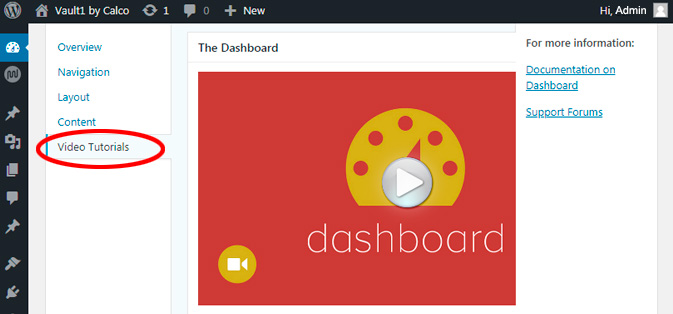
Help
To get help on anything you can click the small magnifying symbol in the menu at the top (right) of every page. You can also come here to this page where help is arranged by topic. Lastly we also have video help which will teach you how to use WordPress if you don’t already know how to do so.
Find Help (using the Search facility)
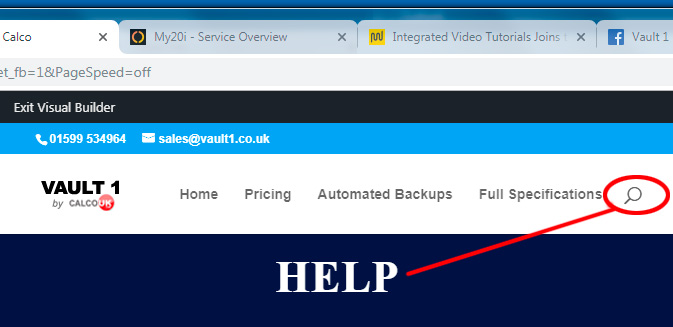
Click the magnifying glass (see Figure 1 below) and just start typing. Its best to choose one word to describe what you need help with, so for example, if you want to find out the price of something just type in the word “price” (without the quotes). Always try to use the singular of the term i.e. “price” and not “prices”. This will find BOTH Price and prices, whereas using the plural, “prices”, will only find prices
Get a video to help using WordPress
The Video Help System (VHS) is “context specific“, so if you are typing in text and activate the VHS, The video or videos will be about entering text.
As previously stated, the videos are all up to date so of you need help with Gutenberg… its there waiting for you!
If you are a designer you will be pleased to know that all the videos are “White Label” so your customer will not be exposed to our branding.
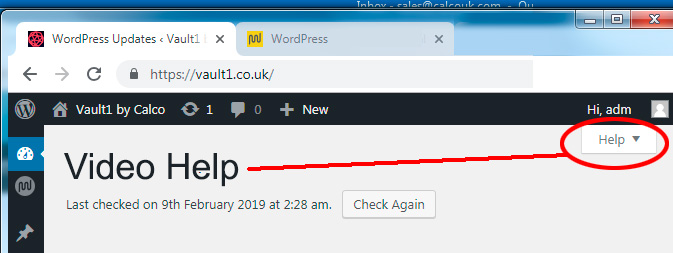
Then choose Video Help. A list of videos will now be displayed. Click to play.